Environments
An environment stores the settings that API Tests need to call a system. A collection refers to an environment, so the same collection can run against different systems, such as SIT or UAT, without changing its cases.
To see the environments, open API Test and select the Environments tab.
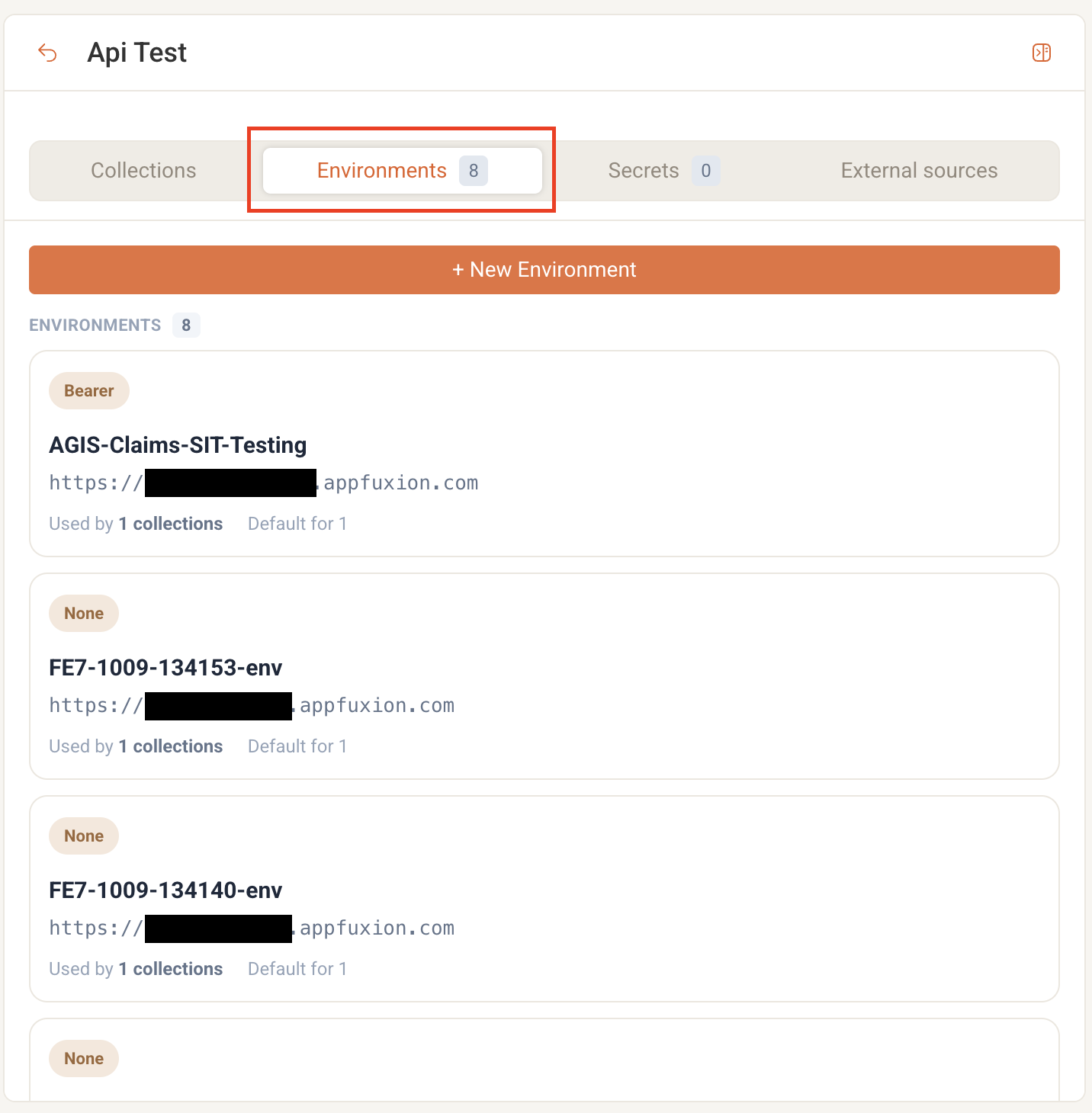
Environment List
The tab shows the number of environments next to its name. Below the New Environment button, each environment is shown as a card with the following details:
- Auth type — the authentication used by the environment, such as
NoneorBearer - Name — the name of the environment
- Base URL — the host that the environment calls
- Used by — the number of collections that refer to the environment
- Default for — the number of collections that use the environment as their default
Where an Environment Is Used
An environment can be chosen in the following places:
- the Settings tab of a collection
- the Run Collection dialog
- the config of the API Test node
